FREE HARD DRIVE HEALTH MONITORING AND DIAGNOSTIC TOOL
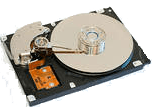
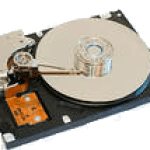
If you are not aware of the condition of your Hard disk (HDD). You may not have time to save all your valuable data before its too late.
Hard discs do not just fail randomly. But it can happen without warning for many reasons. That’s why its more important to have the Hard drive health monitoring tool.
These tools silently monitor your hard disc health and warn you of any impending failure or crash. So that you can get enough time to backup your data.
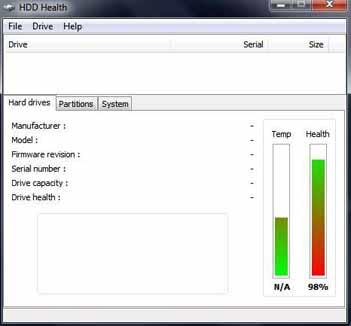
HDD Health is a full-featured hard drive health monitoring tool. Monitoring and failure prediction tool for your hard disk health.
The new version of HDD health supports SSD drives and Windows XP,Vista, Windows 7 and Windows 8, 10. The tool is a small program that sits quietly in your system tray and monitors your hard disk health. Alerts you of any impending failure.
Why do you need a Hard drive Health Monitoring tool:
Disk failure can occur due to a technical problem on the disk itself, or for some external factors like a sudden power surge.
What if your cat or child knocks down the tower while it’s powered on, or you accidentally drop your laptop. Since hard disk has moving parts and is most likely to get damaged.
This tool is designed to monitor hard disk health and help predict hard disc failure. Basically this tool keeps a track of your hard disk health status and alerts you on time for any problems.
HDD health constantly monitors your hard disk health and warns you when any of the parameters falls below the threshold. This is a full-featured failure prediction hard drive health monitoring tool.
It is compatible with Windows 95, 98, NT, ME, 2000, XP, Vista, Windows 7, Windows 8, 10 and also SSD (solid-state devices). The program uses Self Monitoring and Reporting Technology (S.M.A.R.T.) built into all new hard disks, and can predict failures on your hard drives.
FEATURES:
Alerting features include Audio alert, email, local pop-up messages, net messages, and event logging, etc while using no system resources.
The program uses Self Monitoring and Reporting Technology (S.M.A.R.T.) built into all new hard disks, and can predict failures on your hard drives. It’s a small program of just 4MB in size. After installation, the tool immediately displays the HDD health status.
Under the options menu, you can configure to alert you by sound, pop up, network or by e-mail when the Disk health is critical.
Hello! I am Ben Jamir, Founder, and Author of this blog Tipsnfreeware. I blog about computer tips & tricks, share tested free Software’s, Networking, WordPress tips, SEO tips. If you like my post /Tips then please like and share it with your friends.
We use cookies on our website to give you the most relevant experience by remembering your preferences and repeat visits. By clicking “Accept”, you consent to the use of ALL the cookies.
This website uses cookies to improve your experience while you navigate through the website. Out of these cookies, the cookies that are categorized as necessary are stored on your browser as they are as essential for the working of basic functionalities of the website. We also use third-party cookies that help us analyze and understand how you use this website. These cookies will be stored in your browser only with your consent. You also have the option to opt-out of these cookies. But opting out of some of these cookies may have an effect on your browsing experience.
Necessary cookies are absolutely essential for the website to function properly. This category only includes cookies that ensures basic functionalities and security features of the website. These cookies do not store any personal information.